


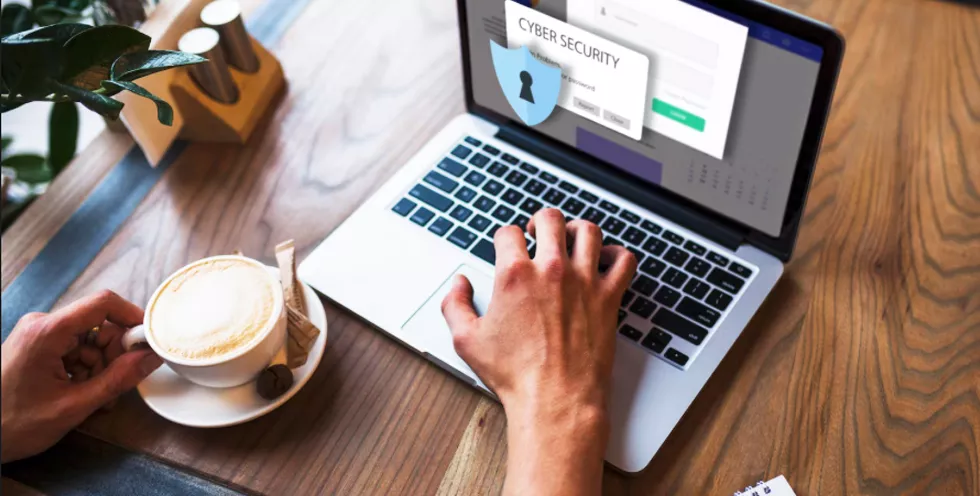
Our laptops have evolved far beyond simple work tools. They now store our banking details, personal photos, private messages, and critical work files—essentially becoming the command centre of our digital lives. Because they contain so much valuable data, they have also become prime targets for cyber-criminals.
Staying secure in 2025 requires both awareness of modern threats and the adoption of up-to-date security practices. This guide outlines everything you need to protect your laptop today and in the years ahead.
1. Foundations of Laptop Security: Start with the Basics
Before diving into advanced tools or complex defences, strong security begins with consistent, everyday habits.
Strong Passwords & Multi-Factor Authentication (MFA)
Your password is your first line of defence—treat it like the lock on your front door.
What a Good Password Looks Like:
- Unique for every account
- Long, memorable, and complex (e.g., a passphrase like “TheDogAteMyHomework@1972!”)
- Free of personal details or predictable patterns
Why MFA Matters:
Enabling MFA for your banking, email, and social accounts significantly reduces the risk of unauthorised access. Even if a password is stolen, attackers cannot log in without the second verification step. The UK’s National Cyber Security Centre (NCSC) strongly recommends MFA—and with good reason.
2. Keep Everything Updated
Updates do more than add new features—they patch vulnerabilities. Criminals actively look for out-of-date systems to exploit.
- Enable automatic updates for your operating system, browser, and applications
- Don’t postpone update notifications—install them straight away
3. Essential Protective Software
Your laptop should always have active, up-to-date security tools.
- Antivirus/anti-malware: Trusted suites like Norton 360, Bitdefender, or Kaspersky detect and block threats, including ransomware.
- Firewall: Keep your device’s built-in firewall enabled at all times, especially when using public Wi-Fi.
Securing Your Connection: Wi-Fi & Safe Browsing
4. Strengthen Your Home Wi-Fi Network
With hybrid work now the norm, your home network is part of your professional environment.
- Change the default router name and password
- Use WPA3 (or at least WPA2) encryption
- Use a VPN—such as ExpressVPN, NordVPN, or ProtonVPN—when working remotely or accessing public Wi-Fi. A VPN encrypts all your online activity, preventing interception.
5. Master the Art of Spotting Phishing Scams
Phishing remains the most common cyber threat. Learn to recognise the red flags:
- Examine the sender’s address closely
- Hover over links to see the real destination before clicking
- Treat urgent or threatening messages with suspicion
- Never share passwords, PINs, or MFA codes via email
Data Protection & Recovery
Even the best cyber-defence can fail. What matters is your ability to bounce back.
6. Back Up Your Data Properly
The most effective defence against data loss—and ransomware—is a reliable backup strategy.
Follow the 3-2-1 rule:
- 3 copies of your data
- 2 types of storage (e.g., internal drive + external drive)
- 1 copy stored off-site (e.g., cloud backup)
Encrypt external backups to protect your data if the device is lost or stolen.
7. Turn On Full-Disk Encryption
Most modern laptops include built-in encryption (BitLocker for Windows, FileVault for macOS).
If your laptop is lost or stolen, the thief cannot access your files without your password.
Emerging Laptop Security Trends in 2025
8. AI: A Powerful Tool for Both Attackers and Defenders
AI is transforming cybersecurity—for better and worse.
How attackers use AI:
- Generative AI produces flawless, convincing phishing emails
- Scams are harder to detect by language alone
How defenders use AI:
- Advanced security software now uses AI to identify suspicious behaviour and anomalies
- When choosing antivirus tools, ensure they include AI-powered detection capabilities
9. Rising Threat: Infostealer Malware
Infostealers are becoming one of the fastest-growing cybersecurity threats.
What they do:
- Steal saved passwords, cookies, auto-login data, and crypto-wallet keys
- Sell this stolen “digital identity package” on the dark web
User protection:
- Stop saving passwords in your browser
- Use a dedicated password manager with strong encryption
- A password manager will only auto-fill on legitimate websites, helping block phishing attempts
Everyday Cyber Hygiene: Expert-Level Practices
10. Limit Administrator Account Use
Using an administrator account for everyday tasks makes it easier for malware to make major system changes.
- Use a standard account for daily work
- Only switch to admin mode when installing software or changing essential settings
11. Use Browser Security Extensions
Your browser is one of the most common attack points. Strengthen it with:
- Ad blockers to prevent malicious adverts
- Link-checking extensions to detect dangerous websites
- Password manager extensions that auto-fill only on legitimate sites
12. Don’t Forget Physical Security
Digital threats dominate headlines, but physical risks are just as serious.
- Never leave your laptop unattended in public
- Use a Kensington lock in shared spaces
- Use a privacy screen when working in public environments
13. Be Careful with Downloads & Installations
Installing software gives it access to your device—so choose wisely.
- Download apps only from official sources (Microsoft Store, Apple App Store)
- Review permissions during installation
- Uninstall anything that asks for unnecessary access
14. Consider Cyber Insurance & Cyber Awareness Training
For freelancers, remote workers, and small business owners, cyber security also involves risk management.
- Cyber insurance can help cover recovery costs after a breach
- Free NCSC training helps you stay aware of the latest threats
Final Thoughts
Laptop security in 2025 is no longer optional—it’s essential.
By combining strong everyday habits with modern tools like MFA, encryption, AI-powered protection, and smart network practices, you can create a powerful defence around your digital life.
Your laptop holds your world. Protect it.